The YouTube automation space isn’t dead—it’s just misunderstood.
Right now, there’s a niche quietly exploding: baby psychology content. And almost nobody is talking about it.
Let’s look at the numbers.
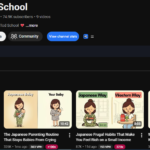
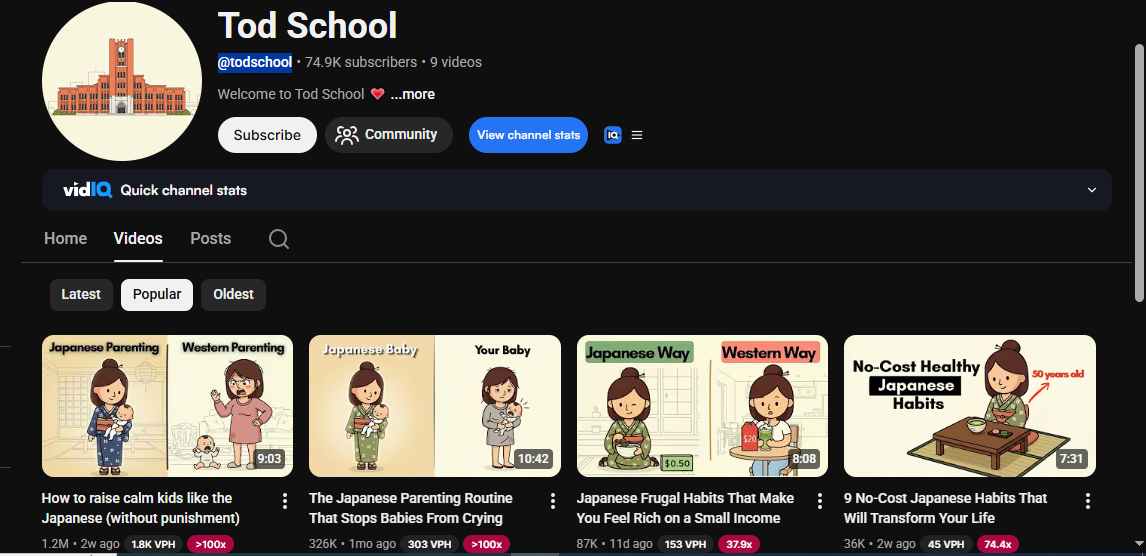
- A channel like Tod School uploaded just 9 videos and already has 74,000 subscribers
- Their latest video hit 1.2 million views in just 12 days
- Their very first upload reached 315,000 views
- Another channel, Tiny Mind Secrets, posted only 6 videos and crossed 1 million views in its first month
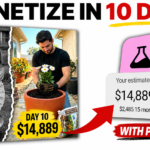
These aren’t established creators. These are brand-new channels gaining traction immediately—and even earning from their first uploads.
So what’s going on?
The Truth About YouTube Automation
A lot of people believe YouTube automation is dead because of demonetization.
That’s not true.
Channels that get flagged are usually making one specific, avoidable mistake. The creators succeeding in this baby psychology niche have figured out how to structure their content properly—and that’s exactly what sets them apart.
This guide breaks down their entire process, from idea generation to publishing your first video—using completely free tools.
Step 1: Generate High-Retention Video Ideas
Everything starts with the right topic.
Instead of guessing, successful creators use structured prompts to generate high-retention baby psychology ideas designed specifically for YouTube.
Here’s how the workflow looks:
- Open your saved prompt (stored in Google Docs)
- Copy the first section
- Paste it into an AI tool like Claude
- Generate 10 topic ideas
These aren’t generic suggestions—they’re crafted to hook parents and keep them watching.
Once you have your list, pick the strongest idea and move forward.
Step 2: Turn Your Idea Into a Full Script
After selecting your topic:
- Paste the topic number back into the prompt system
- Generate the script
Within moments, you’ll have a complete, structured video script tailored to the baby psychology format used by viral channels.
No guesswork. No writing from scratch.
Step 3: Create a Voiceover (For Free)
Next, turn your script into audio.
You have two solid free options:
- ElevenLabs
- Google AI Studio
A simple workflow:
- Paste your script into the tool
- Split it into two parts (to avoid cutoffs)
- Generate each half separately
- Download both audio files
The result is a clean, monetizable voiceover ready for editing.
Step 4: Generate Visual Prompts for Every Scene
Now it’s time to bring your script to life.
Using a second prompt:
- Paste it into Claude
- Confirm your chosen topic
- Generate
This step produces:
- Image prompts
- Video motion prompts
- Scene-by-scene visual mapping
Everything aligns perfectly with your script—so you don’t have to guess what visuals to use.
Step 5: Create Consistent Images
For visuals, tools like Flow AI can generate images for free.
The key technique most beginners miss?
Use each generated image as a reference for the next one.
This keeps:
- Characters consistent
- Colors uniform
- Scenes visually connected
Workflow:
- Generate the first image
- Upload it as a reference
- Generate the next image
- Repeat for all scenes
By the end, you’ll have a complete set of cohesive visuals.
Step 6: Turn Images Into Video Clips
Now convert your images into motion clips.
Using a free tool like Meta AI:
- Upload each image
- Paste its corresponding motion prompt
- Generate the clip
If something looks off, don’t restart—just tweak a few words in the prompt and regenerate.
Small changes make a big difference.
Step 7: Edit Everything Together
For editing, CapCut is a popular free option.
Here’s the process:
- Import your voiceover and clips
- Place the voiceover first
- Sync each clip to the correct part of the script
- Adjust clip speed if needed
- Add transitions
Once everything flows smoothly, export your video.
Step 8: Create a Thumbnail That Gets Clicks
Most people rush this step—and it costs them views.
Instead:
- Use a thumbnail prompt generator
- Insert your video title
- Generate a visual concept
- Create the image using AI tools
- Refine it in Canva
A strong thumbnail can be the difference between 10 views and 100,000 views.
Final Thoughts
This entire system—from idea to upload—can be done using free tools.
And more importantly, it’s already working.
The baby psychology niche is still wide open, and new channels are proving every day that you don’t need a large audience, expensive tools, or prior experience to succeed.
What you do need is:
- The right structure
- The right workflow
- And consistency
Follow this process, and your very first video has the potential to perform just like the viral examples we started with.